Microsoft has begun delivering its annual Windows 11 feature update, and this year the payload is remarkably small. On September 29, 2026, the company announced general availability of the Windows 11 2026 Update, also known as Windows 11 version 26H2, to eligible devices already running Windows 11 versions 24H2 and 25H2. This time the release does not replace the operating system the way earlier upgrades did.
Instead, 26H2 arrives as an enablement package. Microsoft's Windows Experience Blog announced on September 29, 2026 that because versions 26H2, 25H2 and 24H2 share a common servicing branch and underlying codebase, installation is similar to a monthly update, requiring only a small download and a quick restart that completes in a single restart in most scenarios. The features themselves were already sitting dormant on the system drive, waiting to be switched on.
Windows Latest reported on September 29, 2026 that the download is just 174KB on a PC that has installed all recent monthly cumulative updates, roughly 0.003 percent of the size of a full Windows 11 24H2 release. The package raises the operating system to build 26300.9550 and changes the version number while leaving the underlying platform, the Germanium branch shared by 24H2 and 25H2, untouched.
The most consequential change is not something users can see on screen. As Microsoft's blog put it, installing version 26H2 resets the support lifecycle for supported editions of Windows 11, which means 24 months of support for Home and Pro editions and 36 months of support for Enterprise and Education editions. For a release that adds no exclusive consumer features, that reset is the entire point.
Key Facts
heise online reported on September 30, 2026 that Microsoft began distributing the feature update on the last day of September using the feature enablement package KB5121794 to activate functions already present on the system drive. Devices running 25H2 and 24H2 that have turned on the option to get the latest updates as soon as they are available receive it first, with a phased rollout continuing over the coming months. Microsoft can withhold 26H2 from specific machines through a safeguard hold.
Thurrott reported on September 29, 2026 that the release had been made available to Release Preview Insiders in late August as Build 26300.9278 before the public rollout began. The article quoted John Cable, Vice President of Product Management for Windows Servicing and Delivery, who said Microsoft takes a measured and data-driven approach to broad availability and will release version 26H2 using a controlled feature rollout, and that during rollout the company might place safeguard holds on devices where it detects a known compatibility issue that could impact the update experience.
Several features that shipped disabled by default in 25H2 are switched on in 26H2. According to Thurrott, these include Windows settings backup, app-specific taskbar actions and File Explorer improvements. Other highlights the outlet listed include support for additional archive formats in File Explorer, more reliable Windows Search, additional taskbar positions, NPU usage indicators in Task Manager, Windows Hello Enhanced Sign-in Security for third-party fingerprint sensors, and Point-in-time restore for Windows. Windows Latest added that Point-in-time restore is enabled by default only on PCs with a Windows partition of at least 200GB, and that Windows settings backup, formerly Windows Backup for Organizations, is also turned on by default.
On lifecycle dates, Windows Latest published a table showing that Windows 11 24H2 Home and Pro support ends on October 13, 2026, while 25H2 Home and Pro runs to October 12, 2027. The same table put 26H2 Home and Pro support ending on October 9, 2028 and Enterprise and Education support ending on October 8, 2029. heise online reported that the lifecycle for Windows 11 26H2 provides updates for Home, Pro, Pro Education and Pro for Workstations until October 10, 2028, and for Enterprise, Education, IoT Enterprise and Enterprise Multisession until October 9, 2029. The two outlets list slightly different closing dates, which is worth checking against Microsoft's own lifecycle pages before planning a migration.
Not everything has gone smoothly. heise online noted three known issues already listed for the new 26H2 release-health branch, including USB audio problems, domain issues and a black screen after login in more exotic environments such as Azure Virtual Desktop with FSLogix, most of them carrying the status mitigated. Microsoft's blog directed consumer users to Settings and then Windows Update, where they should turn on the option to get the latest updates as soon as they are available. Commercial and education customers can obtain the release through Windows Autopatch and the Microsoft 365 admin center.
Analysis
The bigger picture here is that Microsoft has quietly converted its annual Windows 11 feature update from a product event into an administrative event. Windows Latest argued that 26H2 is effectively a nothingburger for consumers, with no exclusive features, existing mainly to reset the support cycle. That assessment is harsh but hard to dispute on the merits, because the build number is the headline and the feature list is inherited from 25H2.
What makes the release notable is the mechanism rather than the payload. Because 26H2, 25H2 and 24H2 share one servicing branch, Microsoft can ship identical bits to the whole supported install base and flip switches that were already there. A package as small as 174KB, about 0.003 percent of the original 24H2 download, is the clearest evidence yet that this is how Microsoft intends to run the operating system from now on: one annual servicing reset, with smaller feature deliveries folded into monthly updates.
For enterprises, the practical content of 26H2 is a set of previously opt-in controls becoming the default. Windows settings backup and Point-in-time restore, the latter switched on for PCs with a Windows partition of at least 200GB, move from temporary commercial controls to standard configuration, and they are distributed through Windows Autopatch and the Microsoft 365 admin center rather than through a manual upgrade project. What this really means is that IT teams should treat 26H2 as a policy and backup configuration change with a support clock attached, not as a deployment they can simply defer.
The one genuine platform divergence is on Arm. Windows Latest reported that PCs on Arm chips running Windows 11 26H1, for example machines built on Snapdragon X2 or Nvidia RTX Spark silicon, cannot upgrade to 26H2 and are expected to merge into 27H2 in 2027. That split shows the limits of the enablement model: when the underlying branch differs, a tiny switch cannot bridge the gap. The three known issues on the 26H2 release-health branch, most already marked as mitigated, are a reminder that even a lightweight package can still break things in unusual configurations.
Why It Matters
The immediate consequence is a hard deadline. Windows 11 24H2 Home and Pro editions reach the end of updates on October 13, 2026, and heise online advised users on those editions to update because support ends that day. After that date those machines stop receiving security fixes unless they move to a newer version, which makes the 174KB package the cheapest possible route to staying supported.
The reset also rewrites planning horizons. Installing 26H2 gives Home and Pro customers 24 months and Enterprise and Education customers 36 months of support, so devices that were approaching the end of their window get a fresh one. heise online and Windows Latest agree that the new Enterprise and Education window stretches to late 2029, which gives large organizations room to sequence hardware refreshes and application compatibility work rather than reacting to a deadline.
Finally, the release changes what an upgrade feels like. A single restart and a download of less than a megabyte makes 26H2 look and feel like a patch, and there is a risk that users and administrators treat a lifecycle reset as routine maintenance. Because the same package also enables backup and restore features by default, the change management work still has to happen even though the installation itself is trivial.
Next Up
The first Patch Tuesday for 26H2 lands on October 13, 2026, the same day 24H2 Home and Pro support ends, so the next month will show how quickly Microsoft clears safeguard holds and widens availability. The rollout is expected to continue in phases over the coming months, with devices that opted into early updates receiving the package first.
Arm machines on 26H1 remain the outlier, with an expected merge into 27H2 in 2027. Until then, organizations should confirm which devices are eligible, check the current lifecycle dates for their specific edition, and decide through Windows Autopatch or the Microsoft 365 admin center whether to take the update now or wait for the first round of servicing fixes.
Related Articles

Nvidia Launches Open Agent Safety Platform to Contain Rogue AI Agents
Nvidia says a combination of an open source runtime and a BlueField based hardware watchdog can quarantine misbehaving AI agents in milliseconds before they reach production systems.

Meta launches enterprise AI platform and hires MongoDB CEO CJ Desai as MongoDB shares fall 20 percent
Meta's new Meta Enterprise Platform will package Muse AI, Business Agent, Muse API and Muse Code for corporate customers, while MongoDB faces a leadership shakeup and a sharp stock drop.
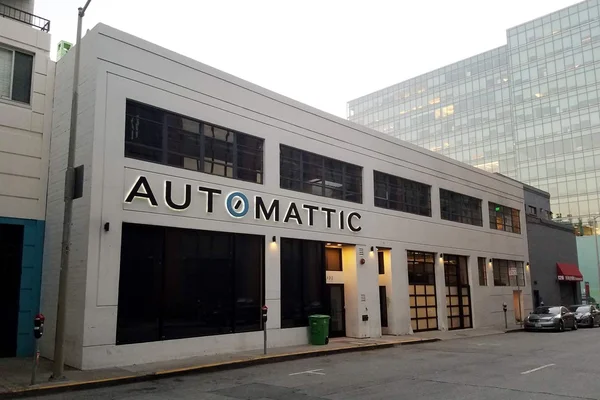
Automattic Names Entirely New Board After Matt Mullenweg Reverses Ouster Attempt
Automattic's founder used his 84 percent voting stake to undo a paid leave resolution and install four new directors, ending a 33 hour standoff with his own board.
Comments (0)
Log in or sign up to leave a comment.
No comments yet. Be the first to share your thoughts.